Collecting in the field
You collect the responses everything else in this platform is built on. This guide covers the whole of your day: signing in, finding what is assigned to you, working where there is no signal, and getting your work safely off the device.
What you are responsible for
Completing the interviews assigned to you, accurately, with the consent of the person answering, and getting them synced. You are not responsible for deciding what the questions are, who is sampled, or what the findings mean — and you cannot change any of those from the field workspace, which is deliberate.
Before your first day
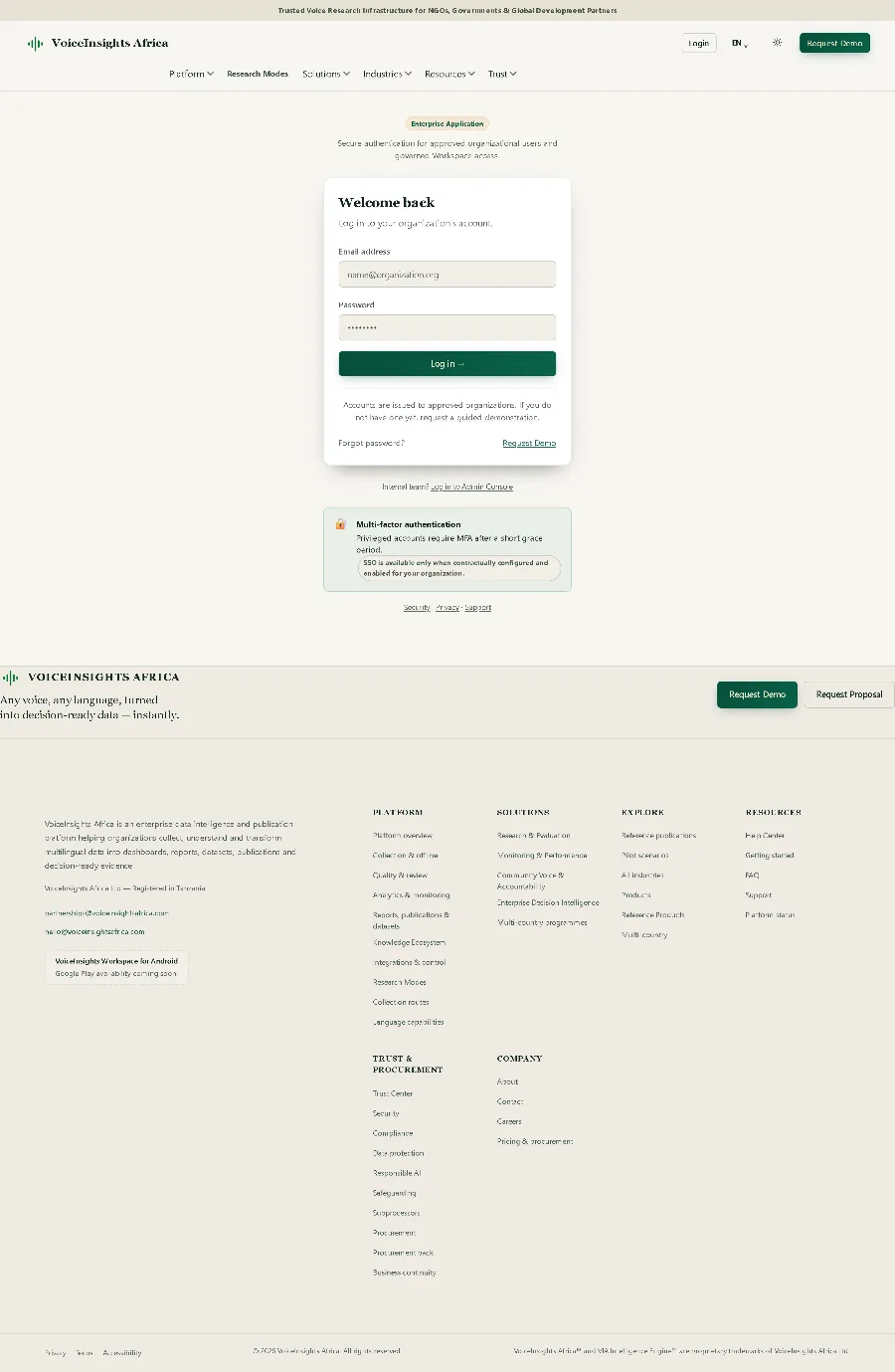
Signing in
- Open the workspace on your phone
Use the address your organisation gave you. The field workspace is built for a phone first — it is not a desktop screen squeezed down.
- Enter your email address and password
These are the details you were sent when you were invited. If your organisation uses single sign-on, you will be sent to your own organisation’s login instead.
- Sign in once, before you leave signal
This is the step that matters most for a field day. Signing in while you still have a connection is what lets the device keep working when you lose it. A first sign-in in a place with no network will not work.
Your workspace
The first screen answers four questions, in the order a field worker actually needs them: can I work, what is mine, what do I do now, and how am I doing.
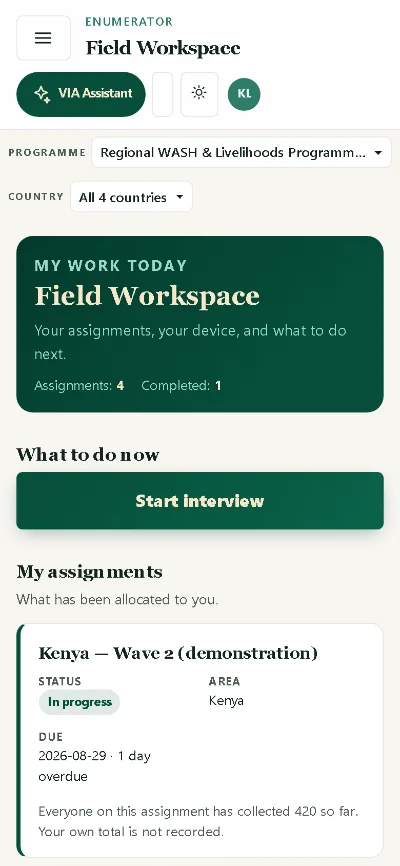
- Programme and country at the top show which work you are looking at. If you work across more than one, this is where you change it.
- Assignments and completed are your counts for the work allocated to you.
- Start interview is the one primary action. There is deliberately one, not six equal buttons.
- My assignments lists what has been allocated to you, with its status, area and due date. An overdue assignment says so.
Working with no connection
This is the part the platform is built around. An enumerator three hours from a signal must be able to keep working.
- Download your assignment package while you have signal
The questionnaire and what you need to work through it come down to the device. Do this before you travel, not when you arrive.
- Work normally with no network
Interviews are captured onto the device and held in a queue. The workspace shows you when you are offline and whether anything is waiting on the device — you are never guessing.
- Come back into signal and let it sync
The queue uploads when a connection returns. Watch it finish. Work sitting in a queue is work nobody else can see yet.
- Check the pending count is zero before you finish for the day
This is the single most useful habit in the job. A device with a full queue and a flat battery is a day of interviews at risk.
Consent, privacy and what you are collecting
- Consent comes before the questions, in the language the respondent is answering in, and it is recorded with the response.
- A respondent can stop at any point. A partial response that stops is a legitimate outcome, not a failure on your part.
- The answers are not yours to share. What someone tells you belongs to the study, and the platform records who accessed what.
- Do not collect on paper and enter it later from memory. If the device fails, report it — a reconstructed interview is not the same evidence.
When something goes wrong
| What you see | What to do |
|---|---|
| You cannot sign in, and you have no signal | Nothing will fix this in the field. A first sign-in needs a connection. Return to signal and sign in there. |
| No assignments are showing | You may not be assigned to the project yet, or your assignment has not been published. Ask whoever set up the study. Do not start collecting against a different assignment. |
| The queue will not clear | Stay in signal and give it time — a queue of long interviews takes a while. If it still will not clear, report an issue from the workspace rather than reinstalling anything. Do not clear your browser data: that is where the unsent interviews are. |
| A response was flagged for review | A quality check noticed something — an unusually short interview, a conflicting answer. Your supervisor reviews it. You may be asked to recollect. |
| The device is lost or stolen | Tell your organisation immediately so your sessions can be revoked. Anything already synced is safe; anything still queued on that device is gone. |
| A respondent asks to withdraw | Stop, and report it. Withdrawal is handled through the study’s consent record, not by deleting something on the device. |
Limits worth knowing before you plan around them
What this role cannot do, and what the platform does not offer
- There is no per-enumerator quality score shown to you. The platform does not compute one, and we would rather say so than show you a number that means nothing.
- There is no “returned for correction” queue and no supervisor comment thread against your identity. Feedback reaches you through your supervisor, not through the app.
- The application is Android. There is no iOS build — today you use the workspace in your phone’s browser.